Wednesday, February 18, 2015

Blog Post #6

Conversations With Anthony Capps

In Project Based Learning Part 1 and Part 2 with Anthony Capps and Dr. Strange, I learned what project-based learning is. Anthony Capps says, "When students are engaged, they are learning.". Project based learning is different than traditional learning, Anthony explains how he creates lessons for his 3rd-grade students meeting the standards of ALCOS. He list four things that his project based lesson must do:

  1. It must have an authentic audience
  2. It involves the students interests
  3. It involves the community
  4. Its content meets the required standards
http://community.lessonplanet.com/t/return-from-winter-break-without-losing-progress/163Anthony gives an example of how he had his students research a topic using the computer and then write a letter to their congressman. The students used peer editing to choose the best letters to send. I think by engaging the students in these activities the children really had to think about what they were doing and learning. It is an excellent way to involve them in the learning process and get them excited to learn while still meeting the standards.

Anthony Capps also teaches us about icurio and Discovery Learning. Discovery Learning is a resource that teachers can use to supplement their lessons. I have used this program many times while subbing. If the students are learning about Pilgrims they would read it in their history book, do a worksheet and also watch a video on the Discovery Learning website. The icurio website is a safe search engine used by schools.  Everything has been placed there for the students. The students can then organize their research into folders on the website.

Anthony and Dr. Strange give us some additional advice in his interview The Anthony- Strange list of Tips for Teachers Part 1:
  1. Be interested in learning yourself.
  2. Teachers learn to teach in their free time.
  3. Be flexible and creative!
  4. Always reflect on your teaching.
Anthony explains that we should not teach technology in the video Don't Teach Tech - Use It. He explains that we should slowly introduce different tools in the classroom. The students will learn the tools and then add new tools slowly. He explains that it is a scaffolding technique.

In Additional Thought About Lessons Anthony list the 4 parts every lesson should contain:
  1. How does it fit in with your standards?
  2. How to unfold the unit using scaffolding properly.
  3. How are you devising your lesson throughout the week Monday through Friday?
  4. How will you deliver the message in a daily lesson?

Thursday, February 12, 2015

Blog Post #5 Part 1

PLN's What Are They?

What are PLN's?
PLN’s are personal learning networks. You have probably been using them all along and didn't even know it! In Developing a Personal Learning Environment, Dr. Strange writes, “It is those people, places, organizations and activities which enable you to learn.” I have groups of people that I know or follow to help me with certain types of information. I also have different websites and applications that I use. Tying these sources together and creating a network is a PLN.


How are they formed?
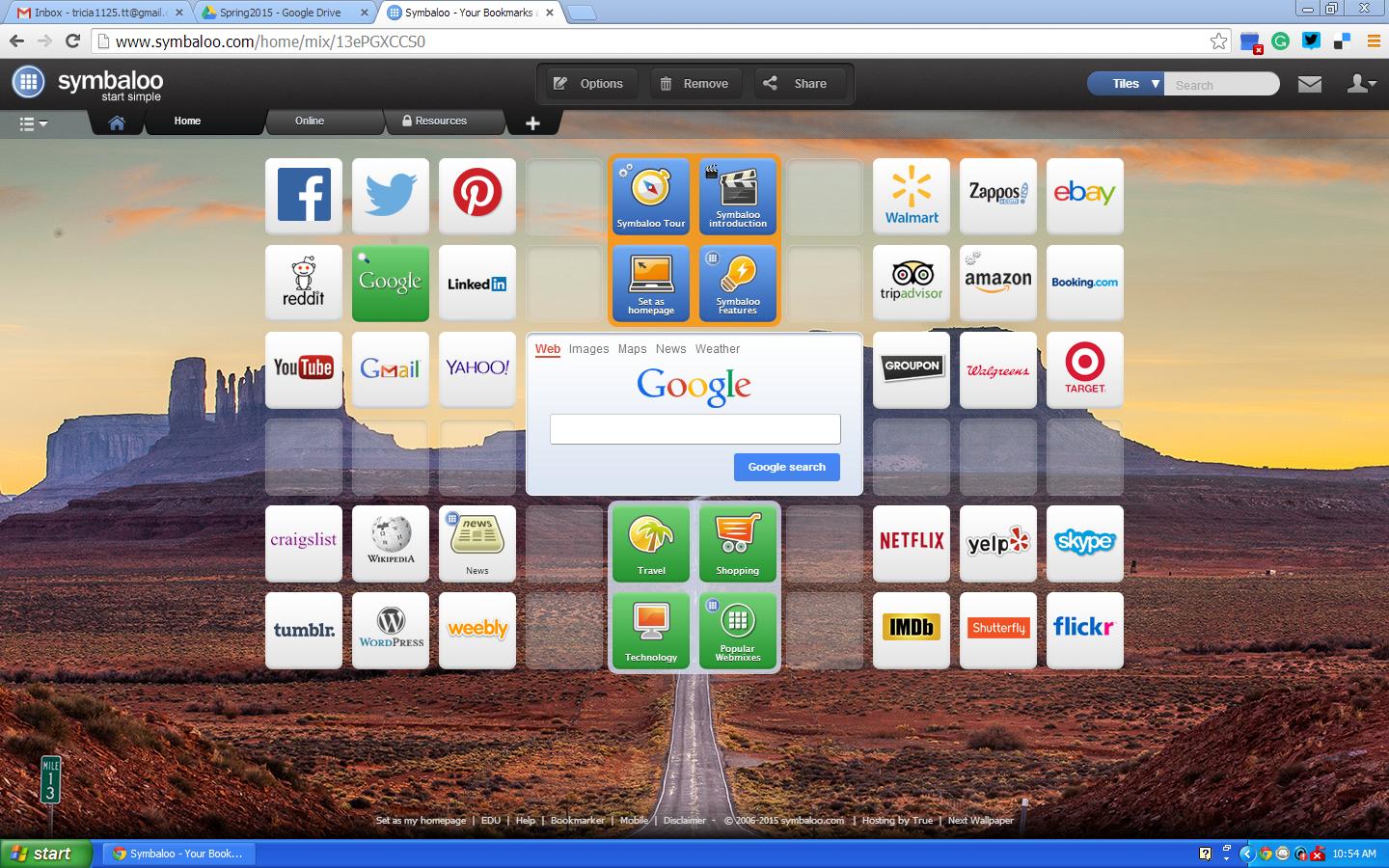
www.symballo.comIn A 7th Graders Personal Learning Environment, we learn how to use Symbaloo to create a network of applications such as Twitter, Facebook, Evernote, YouTube, and DeliciousThe girl in the video has all of her saved information in one place. I had never heard of Symbaloo and decided to create an account. I think it is a great idea to have all your personal interests and information in one place.


How Can you create your own PLN?
You can create your own PLN by signing up for Symbaloo or Netvibes. Another way to create a PLN would be through Blogger or Twitter. In Michael Fawcett Discusses his PLN, we learn that following people on Twitter can give you new opportunities to learn, communicate and collaborate. I have also recently signed up for Twitter and have enjoyed following people who are interested in the same things that I am.


Who will be the first additions to your PLN?
http://suewaters.com/2008/12/04/here-are-the-results-from-my-pln-survey/The first additions to my PLN will be classmates and staff from EDU 310. I will also follow other educators on twitter and follow their blogs. I will be able to keep all this information together by using Symbaloo. On Symbaloo, I will add Facebook, Twitter, Google, Evernote, YouTube and more to keep all the important things I am learning about in one place.


Wednesday, February 4, 2015

Blog Post #4

Asking Questions: What questions do we ask? How do we ask?


What do we need to know about asking questions to be an effective teacher?


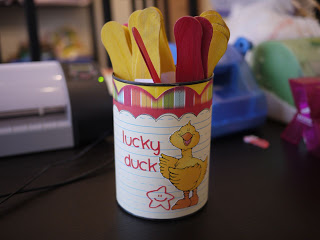
In The Right Way to Ask Questions in the Classroom by Ben Johnson, he gives a better way to make sure the class is listening, paying attention and being prepared to answer a question. Johnson explains that usually the same children raise their hands to ask questions.This system has caused other children to stop paying attention. A way to get them engaged it to equally call on the students so that they will listen and know that they will be called on. He also explains that you should wait 3 seconds before calling on a student to give them time to think of the answer. I like Ben Johnson’s idea and plan to use an adaptation of this idea in my future classroom. I like the idea of using equity sticks in a small bucket or can. The sticks would have the students names written on them. I could then pull the sticks and place them back in. A way to make sure you call on everyone would be to put a smaller bucket inside of a bigger one and once you pull a stick you put it back in between the two buckets. If the students don't know you are doing this they will always be prepared to answer a question. I would also wait a little longer than 3 seconds before calling on someone. If  a student does not know the answer I would make sure to move on so I would not embarrass the child. I would keep in mind that I would need to make sure they understood.


http://kindertastic.blogspot.com/2011/08/lucky-ducks.html

In the video Asking Better Questions in the Classroom by Joanne Chesley, she talks about how it is better to ask open ending questions rather than closed-ending questions. A closed-ending question can be answered with a yes or no answer. An open-ended question requires a more detailed answer. For example, if a question started with, "what would happen if...?", then the response could not be yes or no. I agree with trying to give open-ended questions because it encourages the students to be more thoughtful with their answers.


After watching the video Questioning Styles and Strategies, I learned about several types of styles and different types of techniques for asking questions.

Questioning Styles
  1. Mastery (Describe)
  2. Interpersonal (What do you like?)
  3. Understanding (What was the effect?)
  4. Self Expressive (Draw a picture)
The teacher in the video thoroughly explains and shows different styles of questioning. I like how he randomly called on different students. They were all prepared with their answers and gave it their best shot. He also asked a student to call on another student from a different table. I think by using all of these styles the students will have a better understanding. Students learn differently and this allows them to have every chance to absorb and interpret the information being taught.

Project #4 C4T#1 Summary

Summary of Principal Vincentsen's Blog Post #1
http://www.blogging4jobs.com/wp-content/uploads/2012/09/job-seeker-blog.jpg

Capturing Struggling Readers
Principal Vincentsen feels that audio books are a great way to help struggling readers. She feels that a lot of children are discouraged when they are not able to read the same level books as their peers. Audio books make it possible for the students to listen to the same books. She gives several websites to find audio books such as; Audible.com, BookShare and Learning Ally.


I agreed that I thought it is a great idea for some children to use audio books to help them read the same level books as their peers. They are a great choice for children who need something different to help encourage their love of reading.


Summary of Principal Vincentsen's Blog Post #2


Principal Vincentsen wrote about taking a moment to reflect and thank Dr. Martin Luther King. She shared a letter that she wrote to the families at her elementary school. Principal Vincentsen feels it is important to teach our children about, ”the values of peace, equality and inclusion”. She had a link to a video Martin Luther King Tribute and a link to a website called Wonderopolis for more information.


I commented that I felt a lot of people recognize that Martin Luther King Day is for celebrating and that it is a day that they don’t have to go to school, but they are not remembering the true meaning. I agreed with her that we need to remind people how far our country has come so that it doesn't ever happen again. I will keep both of the resources in mind for my future classroom.

Project #15

Search Engines


http://www.bullydogwebs.com/wp-content/uploads/2012/03/Search-Engine-Banner.jpg

  1. Bing-Bing is a search engine that is a lot like Google. You can search for information, find the news and look for images. There is a search box in the middle of the site to type in what you are looking for. At the bottom of the site is recommends articles for you to read. I feel there is a lot going on with this search engine and prefer something a little simpler. I do like the recommendations at the bottom.
  2. Ask-Ask is an interesting search engine because it has a tab to click on for questions and answers. You can ask your own questions or search through others. You can also find information, news and videos on Ask. I like the clean layout of Ask and feel it is easy to use.
  3. Yahoo-Yahoo is a search engine like Google. You can sign up for an email address. You can search for information, news and videos. Yahoo has a lot of other uses as well. You can find groups for people with similar interests, movie reviews, food, travel entertainment and more.  The site is very busy. I would not use yahoo as a search engine because I don’t need all the additional features.
  4. Dogpile- Dogpile is a search engine where you can find information, images, video, news and more. It also has a tab for the white pages. I like the clean and fun look of this site. The search results come from Google and Yahoo.
  5. DuckDuckGo-This search engine is a simple search box with no bells and whistles. It claims that it is “the search engine that doesn’t track you”. I think that is a great privacy feature. I am constantly getting advertisements online from websites I have visited. This search engine is one I will defiantly try!
  6. Webopedia- Webopedia is an online technical dictionary. You can search your word at the top of the page. This site would be used by IT professionals, and educators. I feel this engine is a little too busy. It recommends words and shows other searches. It also has a lot of advertising on the site.
  7. Mahalo- Mahalo is not your typical search engine.  It is a “How To” website where you can search how to do anything and find an answer in articles or videos. I like the layout of the site and like how it is organized into different categories such as health and education. Mahalo uses real people to review other websites and then post their results to be searched. I like that Mahalo uses real people because we get less spam and malware using their search engine.
  8. WolframAlpha- WolframAlpha is a computational knowledge search engine.  The search engine says that they are “more than a search engine. It gives you access to the world's facts and data and calculates answers across a range of topics, including science…”  I really like the simple look of the site.  It has a search box in the middle of the screen. This is a great website for educators and students.  I especially like all of the help with math, I don’t think there is another search engine like this and I am excited to use it.

Project #2 Creating and Using Rubrics- Collaborative Project

Rubric for Evaluating a Blog Post


Rubric for Evaluating a Group Project


Rubric for Evaluating a Project